I like using Makefiles with commands like make build/run/whatever. They're usually associated with C++ builds, but they can be just as useful for projects in any other language.
Instead of memorizing a bunch of different CLI commands, I can build my own clear interface for interacting with a project, all in a single file. And reuse it for every project. For example I have make init in every repo there I to create virtual env and install banch of things for local development. Saves my brain some resources for something more useful.
But, as usual, there's a catch.
I need help
CLI tools are awkward to use without help / --help. Any command-line tool should be able to tell you which commands are available.
The problem is that Makefile doesn't offer this out of the box - but nothing stops you from adding it.
Command names and descriptions
I came across this solution in Luciano Nooijen's blog. It lets you produce a simple list of commands along with their descriptions:
.PHONY: help
help: ## Shows all commands
	@echo 'All Makefile commands:'
	@grep -h -E '^[a-zA-Z_-]+:.*?## .*$$' $(MAKEFILE_LIST) | awk 'BEGIN {FS = ":.*?## "}; {printf "\033[36m%-30s\033[0m %s\n", $$1, $$2}'
This code uses grep to find lines matching the format of a command with a comment, and then formats them with awk, adding colored highlighting.
To add a description to a command, use a double #:
.PHONY: migrate
migrate:  ## Migrate database
	uv run python3 -m speechkit.infrastructure.database.migrations upgrade head
The result looks like this:
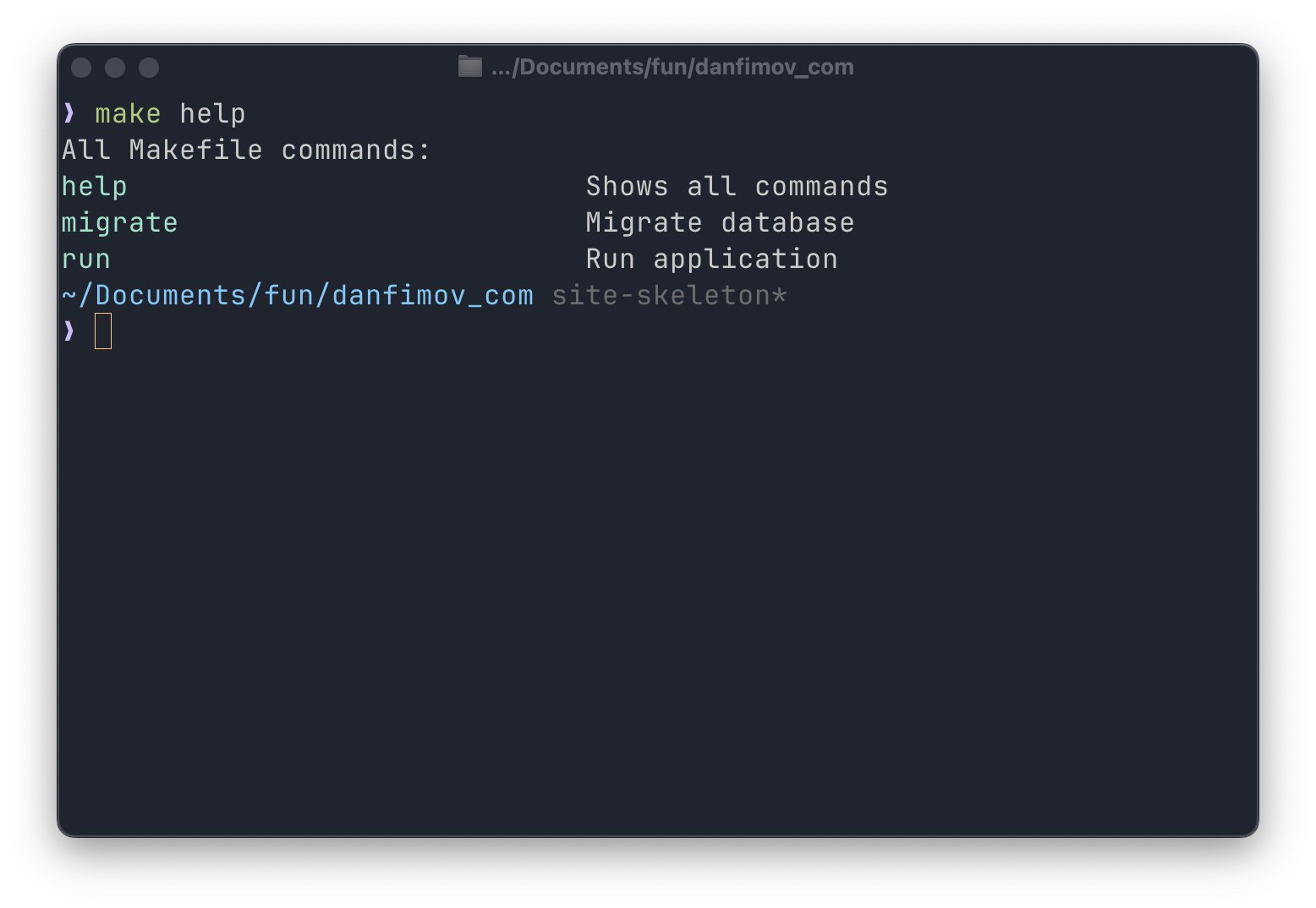
Nice - you can stop here if that's enough for you. But we can take it a bit further.
Grouping commands
If you have a lot of commands in your Makefile, it makes sense to group them by category. Here's a more advanced version using Perl:
HELP_FUN = \
	%help; while(<>){push@{$$help{$$2//'options'}},[$$1,$$3] \
	if/^([\w-_]+)\s*:.*\#\#(?:@(\w+))?\s(.*)$$/}; \
	print"$$_:\n", map"  $$_->[0]".(" "x(20-length($$_->[0])))."$$_->[1]\n",\
	@{$$help{$$_}},"\n" for keys %help; \

help: ##@Help Show this help
	@echo -e "Usage: make [target] ...\n"
	@perl -e '$(HELP_FUN)' $(MAKEFILE_LIST)
To add a command to a specific group, use a special comment format:
.PHONY: migrate
migrate:  ##@Database Migrate database
	uv run alembic upgrade head
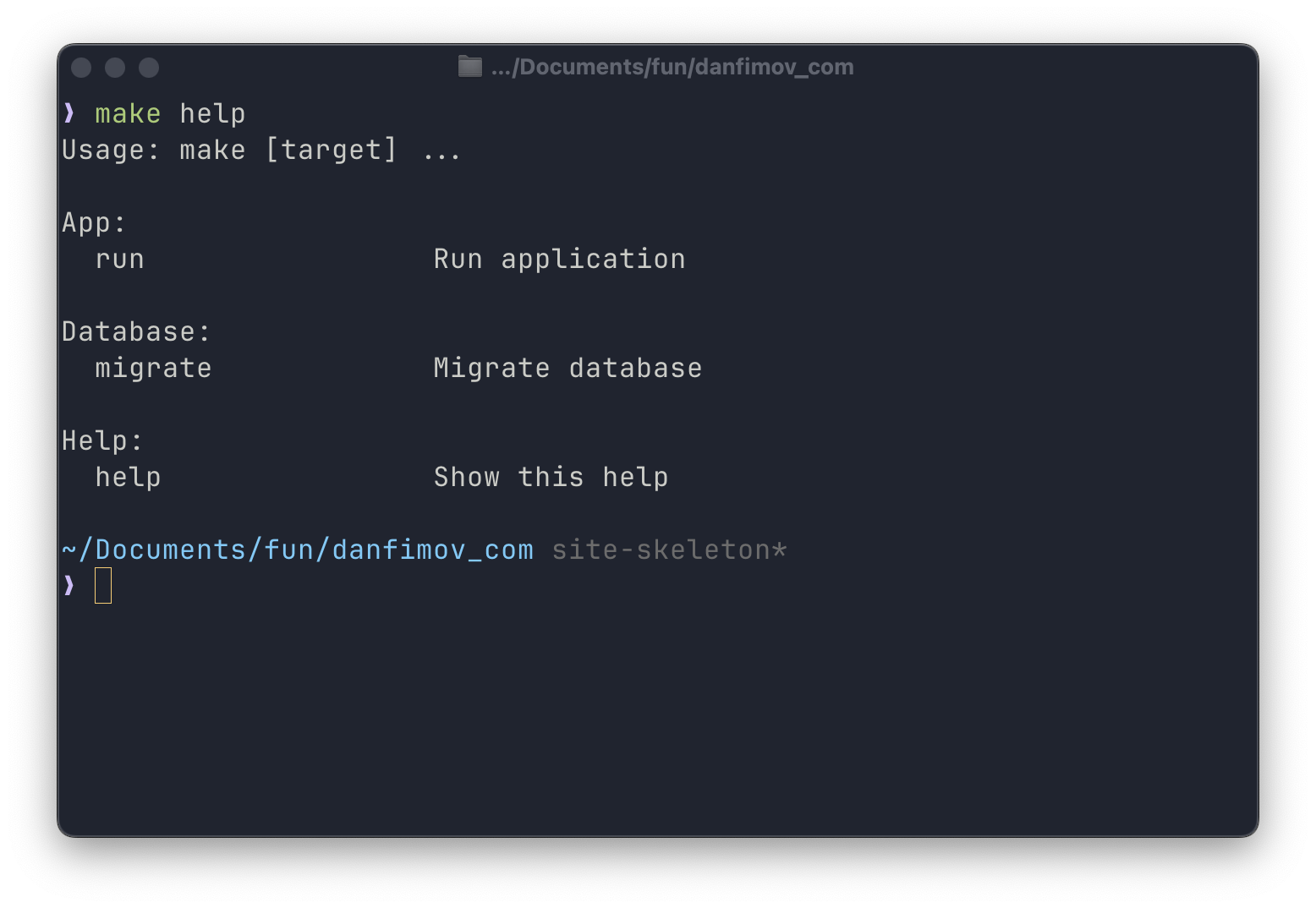
Here Database is the name of the group that the migrate command will be added to.
The result is more structured:
Color highlighting
For better visual organization, you can add colored output:
YELLOW := \033[33m
GREEN := \033[32m
CIAN := \033[36m
BOLD := \033[1m
RESET := \033[0m

HELP_FUN = \
	%help; while(<>){push@{$$help{$$2//'Others'}},[$$1,$$3] \
	if/^([\w-_]+)\s*:.*\#\#(?:@(\w+))?\s(.*)$$/}; \
	print"$(BOLD)$(YELLOW)$$_:$(RESET)\n", map"  $(GREEN)$$_->[0]$(RESET)".(" "x(20-length($$_->[0])))."$(CIAN)$$_->[1]$(RESET)\n",\
	@{$$help{$$_}},"\n" for keys %help; \
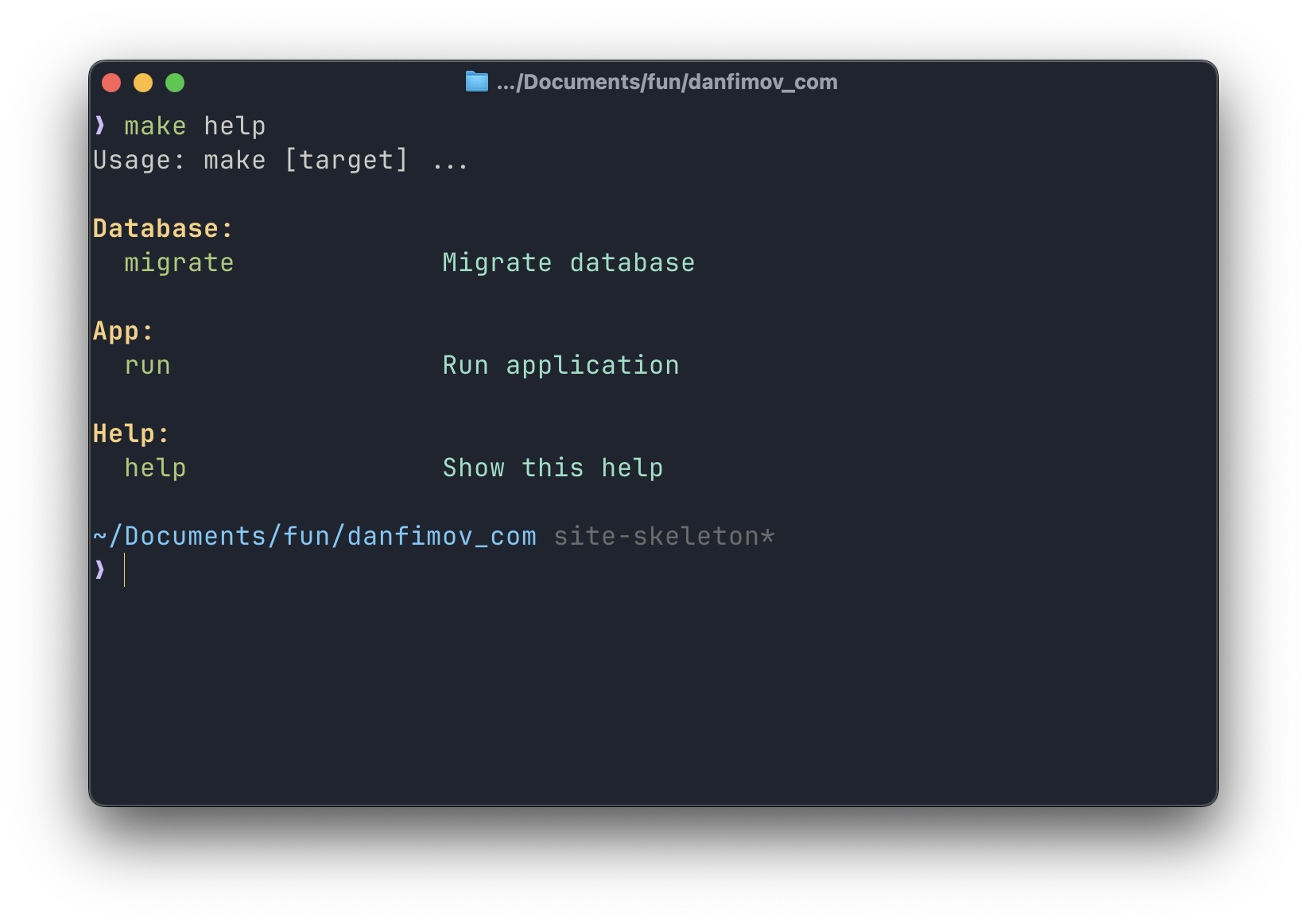
Now the output of make help becomes much more readable:
Handling invalid targets
An important part of a good CLI is clear error messages. Let's add handling for cases where the user mistypes a command:
.DEFAULT:
	@echo "No such command (or you pass two or many targets to ). List of possible commands: make help"
Since the make help command is already implemented, it doesn't hurt to mention it in the error message text.
You can go one step further and make help the command that runs by default (when you call just make with no arguments):
.DEFAULT_GOAL := helpConclusion
Although there are more advanced tools for building CLIs, a Makefile is a good place to start. I hope the few tips above help make your make commands a little more convenient and easier to understand.